Working from home sounds comfy. Then your neck starts to ache, your shoulders creep up toward your ears, and your lower back feels stiff by mid-afternoon. If that sounds familiar, you’re not alone.
The good news: you don’t need a fancy chair or a full home gym to improve posture while working from home. You need a setup that fits your body, a few simple movement habits, and enough awareness to catch yourself before you fold into “laptop shrimp” mode.
This article walks you through practical fixes you can start today, plus a few drills that help your posture hold up through long workdays.
What “good posture” actually means (and what it doesn’t)

Good posture doesn’t mean sitting like a statue. It means your body stacks in a way that spreads load well, so muscles don’t have to fight gravity all day.
A useful target is “neutral”:
- Head balanced over your torso, not jutting forward
- Shoulders relaxed, not rounded forward or pinned back hard
- Ribcage stacked over pelvis (no big flare or slouch)
- Feet supported, with knees and hips in a comfortable range
You’ll still shift. You should shift. The real goal is to avoid getting stuck in one strained position for hours.
Why posture falls apart at home

Office setups aren’t perfect, but they often have basics like a monitor at eye level and a separate keyboard. At home, people work from couches, kitchen stools, beds, and laptop-only setups.
Common posture traps include:
- Laptop screens that sit too low, which pulls your head forward
- No back support, so your lower back collapses
- Armrests that are too high or too low, which loads the neck and shoulders
- Long stretches without movement because there’s no meeting room to walk to
Over time, your body adapts to what you do most. If you hunch eight hours a day, your muscles learn that shape.
Quick self-check: spot your biggest posture problem in 30 seconds
Before you change anything, check what’s happening now. Sit the way you normally work and answer these questions:
- Do your shoulders sit forward of your hips?
- Is your chin poking forward toward the screen?
- Are you shrugging while typing?
- Do you feel more weight on your tailbone than your sit bones?
- Do you cross one leg for most of the day?
Pick the biggest “yes.” Fixing one major issue usually improves the rest.
Set up your workstation so posture is easier
If you want to improve posture while working from home, start with your environment. The right setup reduces how often you have to “remember” to sit well.
Raise your screen to stop the neck crane
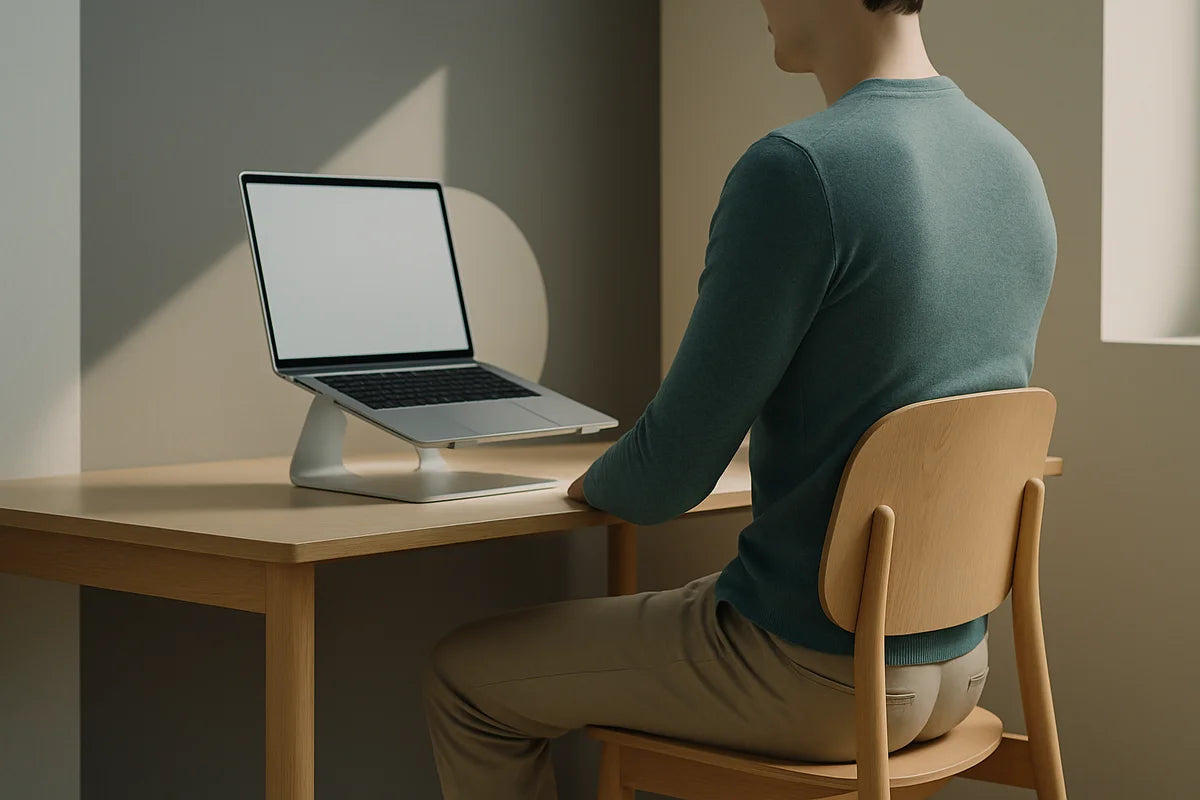
Your screen should sit close to eye level so you don’t tilt your head down all day. If you use a laptop, raise it and use a separate keyboard and mouse if you can.
- Aim for the top third of the screen near eye height
- Keep the screen about an arm’s length away
- Enlarge text instead of leaning forward
Need a cheap fix? Use a stack of books or a sturdy box as a stand. For monitor height ideas, NIOSH’s ergonomics resources offer clear basics.
Get your keyboard and mouse in the right zone
If your keyboard sits too high, you’ll shrug. If it sits too far away, you’ll reach and round your shoulders.
- Keep elbows near your sides
- Set elbows around a right angle, give or take
- Keep wrists straight, not bent up
If you work at a dining table, a simple adjustment helps: pull the keyboard closer and bring your chair closer so you don’t reach.
Fix your chair without buying a new one
You can make almost any chair better with two supports: one for your feet and one for your lower back.
- If your feet dangle, use a footrest or a thick book
- Place a small pillow or rolled towel behind your lower back
- Sit back so the chair supports you, not the edge of the seat
Many people feel best with hips slightly higher than knees. You can test this by raising your seat a bit and using a footrest.
Light and glare matter more than you think
If you squint, you lean. If glare hits your screen, you crane your neck. Improve lighting and you often improve posture.
- Place your screen at a right angle to bright windows
- Add a desk lamp so you don’t hunch to read
- Increase contrast and font size
For screen and visual comfort tips that reduce strain, see guidance from the National Eye Institute.
Build a “posture routine” you can repeat every day
Even a great setup won’t save you if you sit still for hours. Your body needs breaks. The simplest way to improve posture while working from home is to pair work blocks with short movement resets.
Use a timer that makes you move
Try one of these:
- Every 30 minutes: stand up for 30 to 60 seconds
- Every hour: 2 to 3 minutes of movement
- Pomodoro style: 25 minutes work, 5 minutes move
If you want a simple structure, Pomofocus runs a clean timer in the browser.
Do a 20-second posture reset between tasks
When you finish an email or a call, do this quick check:
- Feet flat and supported
- Hips back in the chair
- Ribs stacked over hips (don’t flare)
- Shoulders down and relaxed
- Chin gently tucked so your neck feels long
This isn’t about forcing a “perfect” pose. It’s a reset to neutral.
Five simple exercises that support better posture at your desk
Posture improves fastest when your upper back, shoulders, and hips can move well, and your deep core can support you. These moves take little space and no special gear.
1) Chin tuck (for forward head posture)
Many work-from-home setups pull the head forward. Chin tucks train your neck to stack again.
- Sit tall with your back supported.
- Slide your chin straight back, like you’re making a double chin.
- Hold 3 seconds, then relax.
- Repeat 8 to 10 times.
You should feel the back of your neck lengthen, not strain.
2) Wall angels (for stiff upper back and rounded shoulders)
This one shows you where you’re tight fast.
- Stand with your back against a wall, feet a few inches forward.
- Keep your ribs down and your lower back comfortable (don’t force flat).
- Raise your arms into a goalpost shape and slide them up and down.
- Do 6 to 8 slow reps.
If your wrists can’t touch the wall, that’s fine. Stay within a smooth range.
3) Doorway pec stretch (for chest tightness)
Tight chest muscles can pull your shoulders forward, especially if you type all day.
- Place your forearm on a doorframe with your elbow around shoulder height.
- Step through slowly until you feel a stretch across the chest.
- Hold 20 to 30 seconds per side.
Keep it gentle. Stretching shouldn’t feel sharp.
4) Glute bridge (for slumped pelvis and low back fatigue)
If you sit for long hours, your hips often get stiff and your glutes switch off. Bridges help you stand and sit taller.
- Lie on your back with knees bent and feet flat.
- Press through your feet and lift your hips.
- Pause 2 seconds at the top, then lower.
- Do 10 to 12 reps.
If your hamstrings cramp, bring your feet closer to your hips.
5) Band pull-aparts or “W” squeezes (for upper back strength)
If you have a resistance band, pull-aparts are great. If you don’t, you can do “W” squeezes in the air.
- Band pull-aparts: 2 sets of 12 to 15 reps, keep shoulders down
- W squeezes: elbows bent, squeeze shoulder blades slightly down and back for 2 seconds, repeat 10 times
For exercise form and programming ideas, the American Council on Exercise has solid, practical articles.
How to sit better without “sitting rigid”
A lot of posture advice fails because it asks you to hold tension all day. That backfires. Better posture should feel lighter, not harder.
Use support, then relax into it
If your lower back collapses, add lumbar support. If your shoulders round, bring the keyboard closer. Then let your muscles soften. You’re aiming for less effort, not more.
Switch positions on purpose
Try rotating through a few options:
- Standard seated posture with feet supported
- Perching on the front of the chair for 5 to 10 minutes (then back to support)
- Standing for calls
- Kneeling on a cushion for a short block (if it feels good)
Movement beats the “perfect” posture.
Standing desks and laptop work: what helps, what hurts
Standing can help if it reduces total sitting time. But standing with a bent neck or locked knees just trades one problem for another.
If you stand, set your station like a real desk
- Screen near eye level
- Keyboard at elbow height
- Weight balanced across both feet
Add a small footrest (even a book) so you can alternate one foot up for 30 to 60 seconds. That often eases low back strain.
If you work from a couch, use guardrails
Couch work is fine for short blocks. It’s rough for long sessions. If you must, do this:
- Put a pillow behind your lower back
- Use a lap desk so the screen isn’t on your knees
- Keep sessions short, then move back to a desk
If your wrists or neck hurt on the couch, don’t “push through.” Change the setup.
Posture habits that stick when work gets busy
Most people know what to do. The hard part is doing it on a Tuesday when your calendar is packed.
Use cues tied to things you already do
- After you join a call: posture reset
- After you hit send on an email: stand and breathe
- After you refill water: 10 shoulder rolls
Cues beat motivation.
Keep one “posture tool” within reach
Pick one:
- A small lumbar cushion
- A resistance band on a door handle
- A footrest
If it’s out of sight, you won’t use it.
When posture pain needs a pro
Some discomfort improves quickly with better ergonomics and movement. But get help if you have red flags, such as numbness, tingling, weakness, or pain that travels down an arm or leg.
For a clear overview of desk ergonomics and safety basics, check MedlinePlus guidance on computer workstation ergonomics. If pain persists, consider a physical therapist or a clinician who can assess your specific limits and habits.
A simple 7-day plan to improve posture while working from home
If you want structure, follow this one-week reset. Keep it easy. Consistency matters more than intensity.
Days 1-2: Fix your screen and keyboard
- Raise screen to near eye level
- Pull keyboard and mouse closer
- Add a towel roll for lumbar support
Days 3-4: Add movement breaks
- Use a timer for breaks every 30 to 60 minutes
- Do the 20-second posture reset between tasks
Days 5-6: Add two exercise snacks per day
- Morning: chin tucks and doorway stretch
- Afternoon: wall angels and glute bridges
Day 7: Review and keep what worked
- What change helped most: screen height, lumbar support, or movement?
- What’s still annoying: reaching for the mouse, glare, chair height?
- Make one more small adjustment
Small fixes add up fast when you repeat them.
Conclusion
If you want to improve posture while working from home, don’t start by trying to “sit up straight” all day. Start by making your setup support you, then break up long sitting with short movement. Raise the screen, bring your tools closer, support your lower back, and move on purpose.
Your posture doesn’t need perfection. It needs options, strength, and regular resets. Do that, and your body will feel better before your next workweek is over.