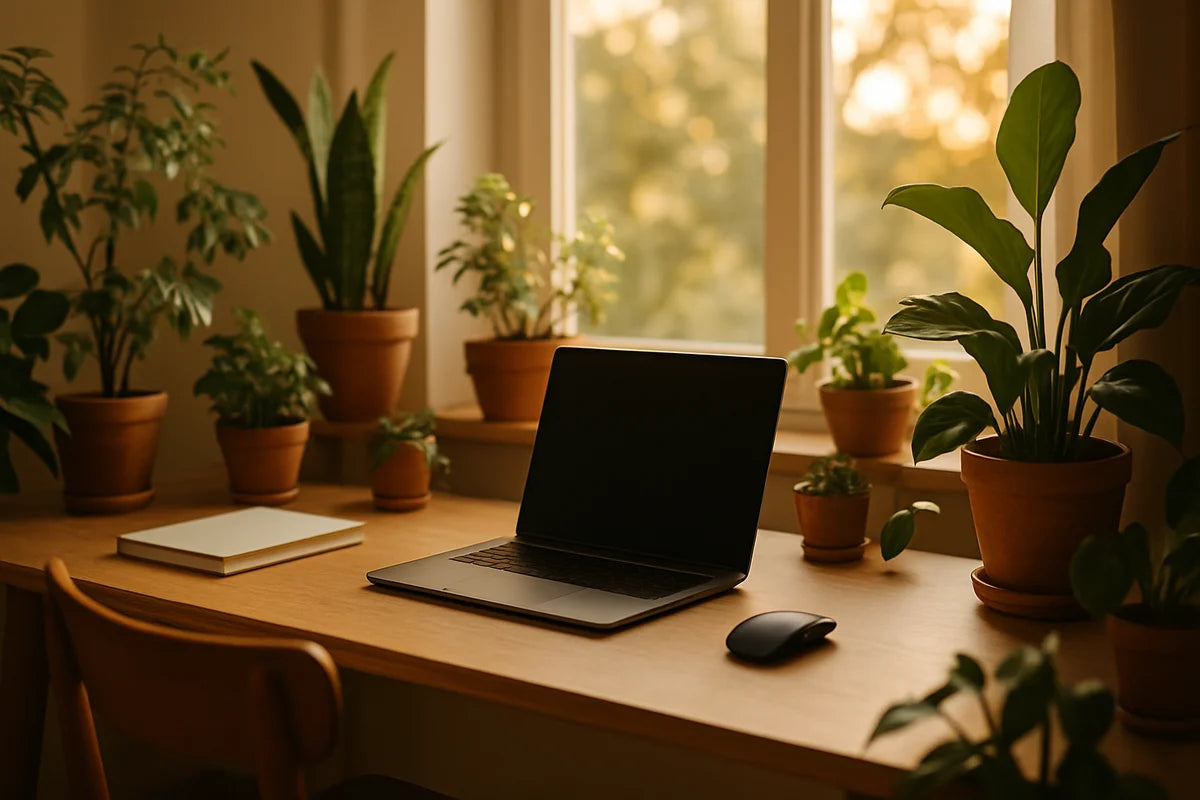
Some home offices feel like a spare room with a laptop. Others make it easy to sit down, start work, and stay with it. The difference often comes down to small, physical cues: light, layout, and what you see in your near vision all day.
A smart home office setup for enhancing productivity with plants isn’t about turning your desk into a greenhouse. It’s about using plants as tools. They can soften harsh edges, reduce visual stress, and create a clear “work zone” inside your home. Done well, plants also nudge you into better habits: you look up, you pause, you care for something living. Those breaks matter.
Why plants belong in a productivity-focused home office

They improve comfort, which supports focus
When your space feels cold or sterile, your brain keeps scanning for distractions. Plants add texture and shape without adding clutter. That matters because clutter pulls attention. A plant, on the other hand, can work like visual “rest” for your eyes.
They can support better indoor air habits
You’ll see bold claims online about plants “purifying” the air. The truth is more modest. Lab studies (often in sealed chambers) don’t match real homes with airflow and open doors. If you want a grounded overview, see the EPA’s indoor air quality guidance and the NASA research that sparked the houseplant-air talk. Plants won’t replace ventilation, but they can support humidity comfort and encourage you to pay attention to your environment.
They add a light daily routine
Productivity isn’t only about hacks. It’s also about consistency. Watering once a week, checking leaves, rotating a pot toward the window, wiping dust off a plant stand. These small tasks create a rhythm and make your office feel cared for, not temporary.
Start with the basics of a strong home office setup
Before you buy plants, fix the parts that make work harder. Plants amplify a good setup. They don’t rescue a bad one.
Get your desk and chair right first
If your shoulders creep up or your wrists bend all day, you’ll lose focus and energy. Aim for a setup where your feet rest flat, your elbows sit near 90 degrees, and your screen lands near eye level. For a clear reference, Cornell University’s ergonomics tips are practical and easy to apply: Cornell Ergonomics.
- Raise your laptop with a stand and use an external keyboard and mouse if you can.
- Keep the top third of your screen near eye height.
- Place your most used items inside an easy reach zone so you don’t twist all day.
Design your light on purpose
Light drives mood and alertness. It also decides which plants will thrive.
- Put your desk near a window if possible, but avoid glare on the screen. Sit sideways to the window, not facing it.
- Use a desk lamp for focused light. Warm-white light often feels calmer at night, while neutral light feels cleaner during the day.
- If your room stays dim, plan for low-light plants or add a simple grow light.
Keep the “focus zone” clean
Look at what your eyes hit when you glance up from the screen. If it’s laundry, random boxes, or cords, you’ll feel scattered. A plant can help, but you still need a clear field.
- Clear the surface except for what you use daily.
- Hide cables with clips or a tray under the desk.
- Use one plant as a deliberate focal point, not ten small distractions.
Choosing the best plants for a work-from-home office
Plant choice should match your light, your schedule, and how much mess you can tolerate. If you pick the wrong plant, it becomes a guilt project. That hurts productivity.
Low effort, high reward plants (great for beginners)
- Snake plant (Sansevieria): tough, upright, slow-growing, fine with missed watering.
- Pothos: fast-growing vines, easy to prune, works well on shelves.
- ZZ plant: glossy leaves, low-water needs, steady growth.
- Spider plant: forgiving, good for hanging baskets, produces baby plants.
If your office gets bright light
- Rubber plant: bold leaves, grows into a small indoor “tree” with pruning.
- Succulents: clean lines and small footprint, but they need real light near a window.
- Fiddle-leaf fig: dramatic look, but it can be fussy if you move it or overwater it.
If you want a plant that looks “organized”
Some plants read as tidy and structured. That matters in a home office setup for enhancing productivity with plants because visual mess becomes mental noise.
- Snake plant for strong vertical lines.
- Rubber plant for simple leaf shapes.
- Chinese evergreen for a full but contained look.
Pet and kid safety matters
Many common houseplants can irritate pets or cause stomach upset if chewed. If you share your office with curious pets, choose carefully and place plants out of reach. The ASPCA toxic and non-toxic plant list is one of the most useful resources for quick checks.
Plant placement that supports focus (and doesn’t steal your desk)
The goal is to use plants to shape your space. Think like a set designer: what do you want to see, and what do you want to hide?
Use plants to mark boundaries
If your home office sits inside a bedroom or living room, a plant can act like a soft wall.
- Place a medium-tall plant to the side of your desk to signal “work starts here.”
- Use a shelf with trailing pothos behind you to clean up your video-call background.
- Try a plant stand in a corner to fill dead space without adding storage clutter.
Keep your primary work zone clear
Don’t place plants between you and the screen. Don’t block the keyboard area. And don’t put a messy dripper near papers.
- Put the main plant just off the edge of your monitor, not beside your mouse hand.
- Choose one small desk plant at most. Let everything else live on a shelf, cabinet, or stand.
- Use saucers or self-watering pots to prevent water rings and soil spills.
Match plant size to the job
- Small plant: adds life to a shelf, good for tight spaces.
- Medium plant: works as a visual anchor next to the desk.
- Large floor plant: best as a boundary marker or background element, not a desktop item.
Care routines that don’t interrupt your workday
The best plant routine is the one you’ll keep. You don’t need daily tasks. You need a simple system that prevents problems.
Use a weekly check, not random watering
Overwatering kills more houseplants than underwatering. Set one weekly “plant minute” on your calendar. Check soil moisture with your finger. Water only when the top layer feels dry for most common office plants.
- Keep a small watering can in the office so you don’t wander off and lose focus.
- Rotate pots every few weeks so plants grow evenly toward light.
- Wipe leaves monthly. Dust blocks light and makes plants look dull.
Reduce mess with smarter containers
- Use pots with drainage holes plus a saucer. It’s simple and it works.
- If you hate drips, try a self-watering planter, but still check soil so roots don’t sit wet.
- Add a thin top layer of decorative stones to cut down on soil splash (especially near keyboards).
Handle pests fast
If you see sticky leaves, tiny webs, or little flying gnats, act early. Isolate the plant and clean leaves with mild soap and water. For common pest IDs and fixes, the Royal Horticultural Society has clear guides like RHS advice on houseplant pests.
Pair plants with proven productivity cues
Plants do their best work when you pair them with habits and tools that protect attention.
Build a “micro-break” loop
Staring at one distance for hours strains your eyes. Use plants as a cue to look away. The American Academy of Ophthalmology explains the 20-20-20 rule for digital eye strain. Set a timer, then let your eyes land on a plant across the room or near a window.
- Every 20 minutes, look 20 feet away for 20 seconds.
- Stand up when you do it. One small movement break helps more than you think.
Use scent carefully
Some people find mild natural scent calming. Others get headaches fast. If you want fragrance, choose a light-touch option like a small herb plant near a bright window, but keep it away from your face and your fan. Don’t use heavy sprays in a tight room.
Make your background work for you
If you take calls, a plant or two behind you adds warmth and reduces the “blank wall” feel. Keep it simple so it doesn’t flicker on camera or cast odd shadows. A pothos on a shelf and a taller plant in a corner is often enough.
Simple plant-centered layouts you can copy
The small desk, small room layout
- One low-light plant on a shelf (ZZ or snake plant).
- One trailing plant above eye level (pothos) so it stays out of your workspace.
- No plant on the desk unless it’s tiny and stable.
The bright window office layout
- Desk set perpendicular to the window to avoid glare.
- One medium plant near the window as a focal point (rubber plant).
- A small herb pot on the sill if you’ll use it (mint can spread, so keep it contained).
The shared space layout (kitchen table or living room corner)
- A tall plant on the outer edge to mark the work zone.
- A plant on a rolling cart that you can move away after work.
- A basket for plant tools so nothing spreads across the table.
Where to start this week
If you want a home office setup for enhancing productivity with plants, don’t buy five plants on day one. Pick one clear change and build from there.
- Walk to your desk and note the light for one day: bright sun, indirect light, or dim.
- Choose one easy plant that fits that light (snake plant, pothos, ZZ).
- Pick a single spot where it will solve a problem: hide clutter, soften a harsh corner, or improve your call background.
- Add one routine: a weekly check on the same day each week.
After two weeks, you’ll know what you want next. Maybe it’s a taller plant to shape the room. Maybe it’s a grow light so you can place greenery where it helps most. Either way, you’ll build a space that feels more like a place to work, and less like a place you happen to work in.