Haltung verbessern für Remote-Mitarbeiter: Ein praktischer Leitfaden für gesündere Arbeitstage
Lange Stunden am Computer können Ihren Körper heimlich belasten. Für Remote-Mitarbeiter kann eine schlechte Haltung zu einer alltäglichen Gewohnheit werden, die zu Nacken- und Schulterverspannungen, Rückenschmerzen und Müdigkeit führt. Die gute Nachricht ist, dass der richtige Ansatz zur Ergonomie am Remote-Arbeitsplatz einen großen Unterschied machen kann. Mit einer angemessenen Home-Office-Einrichtung, Aufmerksamkeit auf die Wirbelsäulenhaltung und regelmäßigen Haltungspausen können Sie Ihren Körper schützen, während Sie produktiv bleiben.
Dieser Leitfaden hilft Ihnen zu verstehen, wie eine neutrale Sitzhaltung aussieht, wie Sie Ihren Arbeitsplatz anpassen können, wenn Sie keine idealen Möbel haben, und wie einfache tägliche Gewohnheiten Beschwerden lindern können. Egal, ob Sie am Küchentisch oder an einem Steh-Sitz-Schreibtisch arbeiten, diese Tipps helfen Ihnen, richtig zu sitzen, zu stehen und sich zu bewegen, um Ihre langfristige Gesundheit zu unterstützen.
Wie sieht eine gute Haltung für Remote-Mitarbeiter aus, die den größten Teil des Tages sitzen?

Neutrale Sitzhaltung und Wirbelsäulenausrichtung
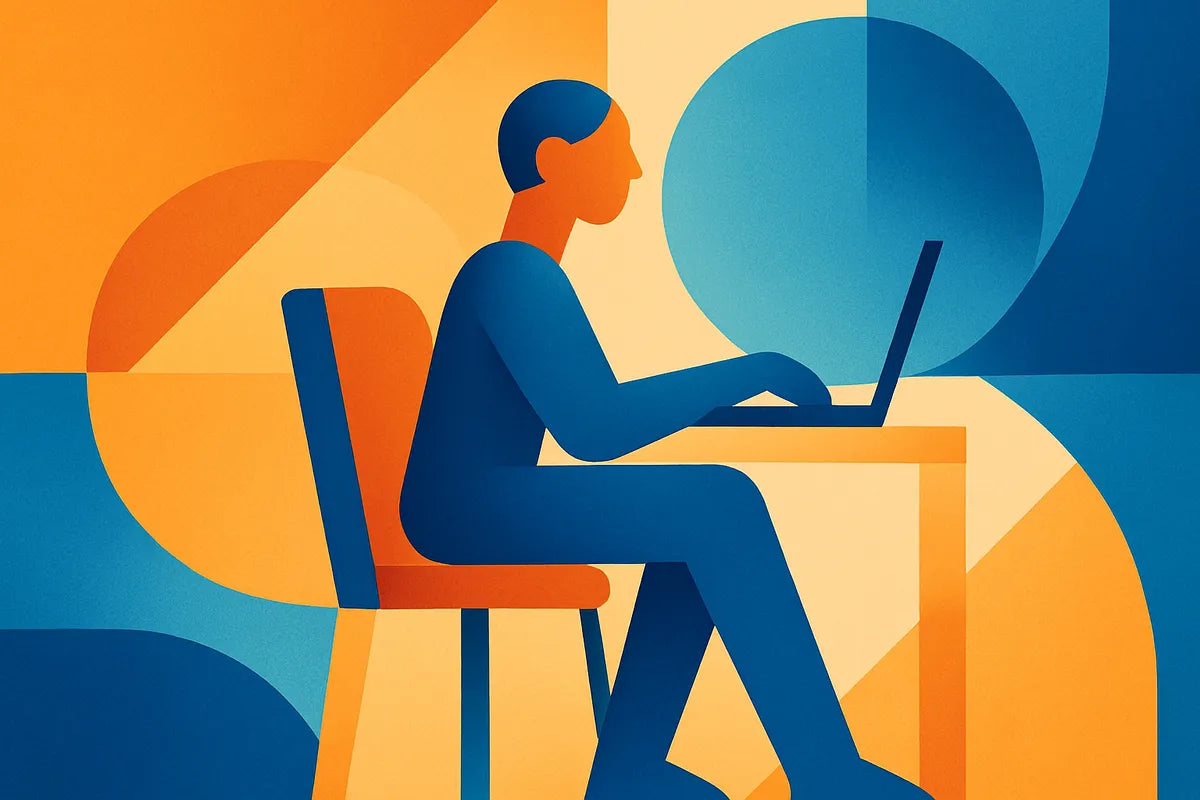
Eine gute Haltung beginnt mit einer neutralen Sitzhaltung, die eine natürliche Ausrichtung der Wirbelsäule unterstützt. Ihre Wirbelsäule sollte ihre sanfte Krümmung im unteren Rücken beibehalten, nicht abflachen oder übermäßig wölben. Halten Sie Ihre Schultern entspannt und Ihren oberen Rücken aufrecht. Ihr Kopf sollte direkt über Ihren Schultern ruhen, um eine Vorwärtsneigung des Kopfes zu vermeiden, die Ihre Nackenmuskulatur belastet.
Füße flach auf dem Boden und richtige Winkel
Positionieren Sie Ihren Stuhl so, dass Ihre Füße flach auf dem Boden oder auf einer Fußstütze ruhen und Ihre Knie einen Winkel von etwa 90 Grad bilden. Dies hilft, Ihr Gewicht gleichmäßig zu verteilen und beugt Schlaffheit und Buckeln vor. Wenn Ihre Füße auch nur leicht baumeln, kann dies Ihre Hüften verschieben und die Krümmung Ihres unteren Rückens belasten.
Tastatur-, Maus- und Monitor-Setup
Ihre Tastatur- und Mausposition sollte es ermöglichen, dass Ihre Ellbogen nah am Körper in einem 90-Grad-Winkel bleiben. Platzieren Sie Ihren Monitor so, dass das obere Drittel des Bildschirms auf Augenhöhe ist, und halten Sie den Monitorabstand etwa eine Armlänge entfernt. Dies reduziert Nacken- und Schulterverspannungen und hält Ihre Augen entspannt. Eine Kamera oder Webcam auf Augenhöhe hilft Ihnen, eine aufrechte Haltung während Videoanrufen beizubehalten.
Haltungspausen und Bewegung
Selbst die perfekte Sitzhaltung kann nicht wettmachen, den ganzen Tag still zu sitzen. Planen Sie alle 30 bis 45 Minuten Haltungspausen ein. Stehen Sie auf, dehnen Sie sich oder machen Sie Mikro- und Bewegungspausen, um Ihre Muskeln zu lockern. Kurze Steh- und Gehpausen verbessern die Durchblutung und lindern Verspannungen.
Wie richte ich meinen Heimarbeitsplatz ergonomisch ein, wenn ich keinen richtigen Schreibtisch oder Bürostuhl habe?

Kreative Heimarbeitsplatzgestaltung für Komfort
Nicht jeder hat ein eigenes Büro, aber Sie können dennoch einen ergonomischen Heimarbeitsplatz mit dem, was Sie haben, einrichten. Suchen Sie zunächst eine stabile Oberfläche, die es Ihren Armen ermöglicht, bequem in einem rechten Winkel zu ruhen. Wenn Ihr Tisch zu hoch ist, erhöhen Sie Ihren Stuhl und stützen Sie Ihre Füße mit einer Box oder einem Kissen ab, damit Ihre Füße flach auf dem Boden bleiben.
Lordosenstütze und Lordose
Ohne einen ergonomischen Stuhl können Sie eine Lordosenstütze nachahmen, indem Sie ein kleines Kissen oder ein gerolltes Handtuch hinter Ihren unteren Rücken legen. Dies hilft, Ihre Lordose zu erhalten und verhindert, dass Ihre Hüften nach hinten kippen. Ein festes Sitzkissen kann auch den Komfort und die Wirbelsäulenausrichtung während langer Stunden der Remote-Arbeitsergonomie verbessern.
Anpassungen der Monitorhöhe und des Abstands
Wenn Ihr Bildschirm zu niedrig sitzt, erhöhen Sie ihn mit stabilen Büchern oder einem Laptopständer. Die korrekte Monitorhöhe und der richtige Abstand reduzieren die Vorwärtsneigung des Kopfes und beugen Nacken- und Schulterverspannungen vor. Bei der Verwendung eines Laptops ermöglichen eine externe Tastatur und Maus, dass Ihre Arme entspannt bleiben, während Sie den Bildschirm auf Augenhöhe halten.
Alternativen zu höhenverstellbaren Schreibtischen
Sie können sich keinen Steh-Sitz-Schreibtisch leisten? Versuchen Sie eine höhenverstellbare Schreibtisch-Einrichtung, indem Sie einen Teil des Tages an einer Küchentheke oder einem hohen Sideboard arbeiten. Gelegentliches Stehen hilft, den Auswirkungen von zu langem Sitzen entgegenzuwirken. Schon ein paar Minuten Steh- und Gehpausen über den Tag verteilt können den Druck auf Ihre Wirbelsäule lindern und Steifheit reduzieren.
Was ist eine neutrale Sitzhaltung und wie erreiche ich sie, wenn ich von zu Hause aus arbeite?

Verständnis der neutralen Sitzhaltung
Eine neutrale Sitzhaltung hält Ihren Körper im Gleichgewicht und ausgerichtet. Das bedeutet, dass Ihre Ohren, Schultern und Hüften eine gerade Linie bilden. Die natürlichen Krümmungen Ihrer Wirbelsäule – insbesondere die Lendenkrümmung – bleiben gestützt, und Ihre Schultern bleiben offen statt nach vorne gerundet. Diese Position minimiert Schlaffheit und Buckelbildung und senkt das Risiko von Nacken- und Schulterverspannungen.
Stuhl- und Schreibtisch-Anpassungen für neutrale Ausrichtung
Stellen Sie Ihren Stuhl so ein, dass Ihre Hüften etwas höher sind als Ihre Knie. Ihre Ellbogen sollten beim Tippen in einem 90-Grad-Winkel eng am Körper anliegen. Halten Sie Ihre Füße flach auf dem Boden und vermeiden Sie es, die Beine längere Zeit zu überkreuzen. Das Ziel ist es, Ihre Muskeln gleichmäßig arbeiten zu lassen, anstatt einen Teil Ihres Körpers dazu zu zwingen, zusätzliches Gewicht zu tragen.
Einsatz eines Sitz-Steh-Schreibtisches für dynamische Haltung
Wenn Sie Zugang zu einem Sitz-Steh-Schreibtisch oder einem höhenverstellbaren Schreibtisch haben, wechseln Sie stündlich zwischen Sitzen und Stehen. Dies fördert die Bewegung, hilft die Wirbelsäulenhaltung zu erhalten und hält Ihr Energieniveau hoch. Achten Sie beim Stehen darauf, dass Ihre Knie weich und nicht durchgedrückt sind und Ihr Monitor und Ihre Tastatur auf der richtigen Höhe bleiben.
Mikropausen und Bewegung zur Unterstützung der Haltung
Alle 30 Minuten sollten Sie sich ein paar Sekunden Zeit nehmen, um sich zu dehnen oder die Position zu wechseln. Kleine Haltungspausen und Mikropausen sowie Bewegungsmomente können Muskelverspannungen lösen und die Durchblutung wiederherstellen. Versuchen Sie Schulterrollen, Nackendehnungen oder stehende Beinheben. Diese einfachen Maßnahmen halten Ihren Körper auch bei langen Arbeitssitzungen aktiv.
Wie hoch sollten mein Monitor, Stuhl und Schreibtisch sein, um Nacken-, Schulter- und Rückenbelastungen zu reduzieren?
Monitorhöhe und -abstand für Blick auf Augenhöhe
Die Höhe und der Abstand Ihres Monitors beeinflussen die Haltung erheblich. Der obere Rand Ihres Bildschirms sollte auf oder knapp unter Augenhöhe liegen, etwa eine Armlänge entfernt. Wenn Sie Ihre Kamera oder Webcam auf Augenhöhe halten, vermeiden Sie es, den Kopf bei Anrufen nach oben oder unten zu neigen, was die Vorwärtsneigung des Kopfes und Nackenverspannungen reduziert.
Stuhlhöhe und Lendenwirbelstütze
Stellen Sie Ihren Stuhl so ein, dass Knie und Ellbogen einen 90-Grad-Winkel bilden. Eine gute Lordosenstütze hält die natürliche Krümmung Ihres unteren Rückens und hilft Ihnen, schlaffe und gebückte Haltung zu vermeiden. Falls Ihr Stuhl keine integrierte Unterstützung bietet, fügen Sie ein kleines Kissen oder Handtuch hinter Ihrem unteren Rücken hinzu.
Schreibtischhöhe und Armposition
Für die meisten Menschen sollte die Schreibtischhöhe es ermöglichen, dass Ihre Unterarme beim Tippen parallel zum Boden ruhen. Ihre Tastatur- und Mausposition sollte nahe am Körper sein, um Schulterverspannungen zu reduzieren. Wenn Ihr Schreibtisch zu hoch ist, passen Sie Ihren Stuhl an und stützen Sie Ihre Füße ab, damit Ihre Haltung ausgeglichen bleibt. Ein Schreibtischhöhenrechner kann Ihnen helfen, Ihre ideale Einrichtung zu finden.
Steh- und Gehpausen zur Erholung
Selbst bei einer perfekten Einrichtung führt eine statische Haltung zu Muskelermüdung. Planen Sie jede Stunde kurze Steh- und Gehpausen ein. Diese Pausen setzen Ihre Haltung zurück, dehnen verspannte Muskeln und verbessern die Durchblutung. Sie kehren mit besserem Fokus und weniger Beschwerden an Ihren Platz zurück.
Welche einfachen Haltungstipps kann ich befolgen, wenn ich von der Couch, dem Bett oder dem Küchentisch aus arbeite?
Ergonomie der Remote-Arbeit an ungewöhnliche Orte anpassen
Wenn Sie in einem nicht idealen Raum arbeiten, können kleine Änderungen einen großen Unterschied machen. Verwenden Sie feste Kissen oder gefaltete Decken, um Ihre Hüften anzuheben und die Krümmung Ihres unteren Rückens zu unterstützen. Halten Sie Ihren Bildschirm auf Augenhöhe, indem Sie ihn auf eine Box oder ein Tablett stellen. Streben Sie eine neutrale Sitzhaltung an, auch wenn die Umgebung nicht perfekt ist.
Schlaffheit und Buckeln reduzieren
Beim Arbeiten von der Couch oder dem Bett aus ist es leicht, in eine schlaffe und gebückte Haltung zu verfallen. Versuchen Sie, auf dem Rand eines festen Kissens mit den Füßen flach auf dem Boden zu sitzen. Verwenden Sie ein Kissen hinter Ihrem Rücken als Lordosenstütze. Halten Sie Ihre Tastatur und Maus nahe am Körper, um ein Vorbeugen zu vermeiden.
Dehnen am Schreibtisch und Bewegungspausen einlegen
Dehnen am Schreibtisch stellt die Flexibilität wieder her und lindert Verspannungen. Rollen Sie Ihre Schultern, drehen Sie sich sanft in der Taille und bewegen Sie Ihre Beine. Kombinieren Sie dies mit kurzen Haltungspausen über den Tag verteilt. Schon zwei Minuten Bewegung helfen, lange Sitzzeiten auszugleichen.
Kamera/Webcam auf Augenhöhe für bessere Ausrichtung
Wenn Sie Videoanrufe von der Couch oder dem Küchentisch aus tätigen, heben Sie Ihren Laptop so an, dass Ihre Kamera oder Webcam auf Augenhöhe ist. Diese einfache Anpassung verhindert eine Vorwärtsneigung des Kopfes und Nackenverspannungen. Das Beibehalten einer Augenhöhe fördert aufrechtes Sitzen und eine natürliche Wirbelsäulenausrichtung.
Tägliche Gewohnheiten zur Aufrechterhaltung einer gesunden Haltung
Regelmäßige Mikropausen und Bewegung
Stellen Sie Erinnerungen oder nutzen Sie Apps, um zu Mikropausen und Bewegung anzuregen. Stehen Sie auf, dehnen Sie sich oder gehen Sie alle 30 Minuten ein paar Schritte. Konsistente Bewegung verhindert Steifheit und unterstützt die langfristige Gesundheit der Wirbelsäule.
Dehnen am Schreibtisch
Integrieren Sie Dehnübungen am Schreibtisch in Ihre tägliche Routine. Konzentrieren Sie sich auf Nacken, Schultern und Hüften. Sanfte Seitenbeugen, Drehungen im Sitzen und Brustöffnungen können Verspannungen lösen und die Flexibilität verbessern. Laut Harvard Health hilft regelmäßiges Dehnen, das Muskelgleichgewicht und die Haltung zu erhalten.
Steh- und Gehpausen
Wechseln Sie Ihre Arbeitspositionen, indem Sie jede Stunde 10 Minuten stehen. Nutzen Sie einen höhenverstellbaren Schreibtisch oder eine Theke, um es einfach zu machen. Steh- und Gehpausen helfen nicht nur Ihrer Haltung, sondern steigern auch Energie und Konzentration.
Fazit: Haltungsbewusstsein in die Remote-Arbeit integrieren
Die Verbesserung der Körperhaltung für Remote-Mitarbeiter geht nicht um Perfektion – es geht um Bewusstsein und Konsistenz. Halten Sie Ihr Home-Office flexibel, nehmen Sie kleine ergonomische Anpassungen vor und machen Sie oft Haltungspausen. Unterstützen Sie die Krümmung Ihres unteren Rückens, richten Sie Ihre Wirbelsäule aus und halten Sie Ihren Monitor auf Augenhöhe, um Nacken- und Schulterverspannungen zu reduzieren. Mit regelmäßiger Bewegung und bewusstem Sitzen schützen Sie Ihren Körper und bleiben während langer Arbeitstage bequem.
Für weitere Anleitungen erkunden Sie Ressourcen wie OSHA’s Ergonomie-Richtlinien und Posture Month für praktische Übungen und Einrichtungsideen. Ihre Körperhaltung beeinflusst nicht nur, wie Sie sich fühlen, sondern auch, wie gut Sie arbeiten – beginnen Sie noch heute mit der Anpassung für gesündere und produktivere Remote-Arbeitstage.