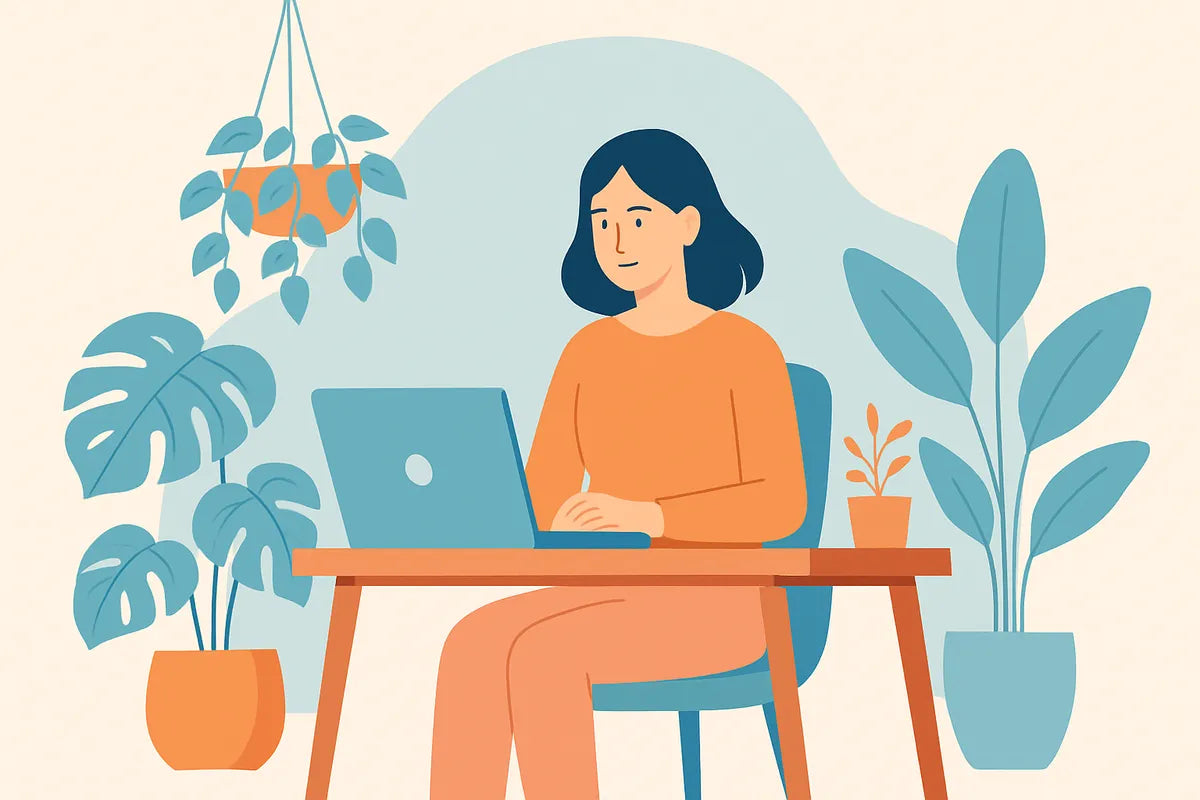
Ein produktivitätsfreundliches Home Office gestalten: Wie Sie einen Arbeitsplatz schaffen, der Ihnen hilft, sich zu konzentrieren und erfolgreich zu sein
Die Arbeit von zu Hause aus bietet Freiheit, birgt aber auch Herausforderungen. Ablenkungen, schlechte Beleuchtung und Unordnung können Ihre Konzentration und Energie unbemerkt mindern. Ein gut durchdachtes, produktives Home Office kann den entscheidenden Unterschied machen. Egal, ob Sie Ihren ersten Remote-Arbeitsplatz einrichten oder Ihren bestehenden verbessern möchten, dieser Leitfaden zeigt Ihnen, wie Sie ein Home Office gestalten, das Ihre Konzentration, Gesundheit und Kreativität unterstützt. Sie erfahren, wie Sie einen ergonomischen Schreibtisch und Stuhl auswählen, natürliche und zirkadiane Beleuchtung nutzen, Ihren Raum organisieren und die richtige Ausrüstung für Ihre Bedürfnisse auswählen. Das Ziel ist einfach: Schaffen Sie einen produktivitätsfreundlichen Arbeitsplatz, an dem Sie jeden Tag gerne arbeiten.
Warum ein produktivitätsfreundlicher Arbeitsplatz wichtig ist

Viele Menschen unterschätzen, wie sehr ihre Umgebung ihre geistige Leistungsfähigkeit beeinflusst. Ein unaufgeräumter, unbequemer oder dunkler Arbeitsplatz kann Ihre Leistung unbemerkt reduzieren und Stress erhöhen. Andererseits fördert ein durchdacht gestalteter produktivitätsfreundlicher Arbeitsplatz eine gute Haltung, klares Denken und konstante Konzentration. Er signalisiert Ihrem Gehirn auch, dass es Zeit ist zu arbeiten, nicht sich zu entspannen.
Die Psychologie eines dedizierten Arbeitsplatzes zu Hause
Ein dedizierter Arbeitsplatz zu Hause hilft Ihnen, Ihr Privat- und Berufsleben zu trennen, auch wenn Ihr Büro nur eine Ecke eines Zimmers ist. Ein definierter Bereich für die Arbeit trainiert Ihr Gehirn, beim Hinsetzen in den „Fokus-Modus“ zu wechseln. Wenn Sie diesen Bereich verlassen, können Sie sich mental von der Arbeit lösen. Diese Abgrenzung unterstützt eine gesündere Routine für die Arbeit von zu Hause aus und reduziert Burnout.
Wie die Umgebung Konzentration und Aufmerksamkeit formt
Lärm, visuelle Unordnung und eine schlechte Anordnung konkurrieren alle um Ihre Aufmerksamkeit. Je mehr Reize Ihr Gehirn herausfiltern muss, desto weniger Kapazität haben Sie für tiefe Arbeit. Die Gestaltung einer ablenkungsfreien Umgebung unterstützt Konzentration und Aufmerksamkeit, indem unnötige Reibungspunkte beseitigt werden. Jedes Detail – von der Höhe Ihres Stuhls bis zur Kabelführung – beeinflusst, wie leicht Sie im Fluss bleiben können.
Wesentliche Elemente eines produktivitätsfreundlichen Home Office

Ein produktivitätsfreundliches Home Office zu gestalten bedeutet, über die Möbel hinauszudenken. Es geht darum, Harmonie zwischen Komfort, Funktion und Inspiration zu schaffen. Schauen wir uns die Schlüsselelemente an, die ein wirklich produktives Home Office ausmachen.
1. Ergonomischer Schreibtisch und Stuhl
Ihre Körperhaltung beeinflusst direkt Ihre Energie und Konzentration. Ein ergonomischer Schreibtisch und Stuhl unterstützen die natürliche Ausrichtung Ihres Körpers. Wählen Sie einen Stuhl mit verstellbarer Höhe, Lordosenstütze und einer Sitzfläche, die eine aufrechte Haltung fördert. Halten Sie Ihren Schreibtisch auf Ellbogenhöhe, sodass Ihre Arme im 90-Grad-Winkel ruhen. Erwägen Sie einen höhenverstellbaren Schreibtisch, wenn Sie den ganzen Tag über zwischen Sitzen und Stehen wechseln möchten.
2. Beleuchtung und Platzierung von natürlichem Licht
Beleuchtung spielt eine große Rolle für die Produktivität. Schlechte Beleuchtung verursacht Augenbelastung und Müdigkeit, während ausgewogene Beleuchtung die Wachsamkeit verbessert. Platzieren Sie Ihren Schreibtisch in der Nähe eines Fensters, um natürliches Licht und die Fensterplatzierung optimal zu nutzen. Verwenden Sie Jalousien oder Vorhänge, um Blendungen zu kontrollieren. Ergänzen Sie dies mit zirkadianer Beleuchtung, die den natürlichen Tageslichtzyklus nachahmt und so Ihren Schlaf- und Energiehaushalt reguliert.
3. Unordnungskontrolle und Home Office Organisation
Ein unordentlicher Schreibtisch bedeutet einen unordentlichen Geist. Die Organisation Ihres Home Office beginnt mit dem Aufräumen Ihres Arbeitsplatzes. Entfernen Sie alles, was keinen Zweck erfüllt. Nutzen Sie vertikalen Stauraum und Regale, um Oberflächen frei zu halten und den Platz optimal zu nutzen. Beschriften Sie Kabel, verstauen Sie Materialien in Behältern und schaffen Sie Zonen für verschiedene Aufgaben. Eine aufgeräumte Umgebung hilft Ihnen, klar zu denken und entschlossen zu handeln.
4. Technologie und Ausrüstung
Die richtige Ausstattung und Technologie für das Home Office machen Ihre Arbeit reibungsloser. Ein zuverlässiger Computer, eine ergonomische Tastatur und ein hochwertiger Monitor reduzieren Frustration. Gutes WLAN, geräuschunterdrückende Kopfhörer und eine Webcam mit klarem Videobild sind unerlässlich für Remote-Arbeitsplätze. Investieren Sie in Tools, die Reibungspunkte beseitigen, nicht nur in schicke Gadgets.
5. Komfort und Ästhetik
Komfort ist nicht nur körperlich – er ist emotional. Eine komfortable und inspirierende Umgebung hält Sie motiviert. Fügen Sie persönliche Akzente hinzu, wie Pflanzen, Kunst oder ein beruhigendes Farbschema. Stellen Sie sicher, dass Temperatur und Luftqualität angenehm sind. Ein schöner Raum, in dem Sie gerne Zeit verbringen, fördert Beständigkeit und Kreativität.
So wählen und positionieren Sie Schreibtisch und Stuhl für Komfort und Konzentration

Die Platzierung von Möbeln beeinflusst sowohl die Körperhaltung als auch die Produktivität. Die Auswahl des richtigen ergonomischen Schreibtisches und Stuhls und deren korrekte Positionierung helfen Ihnen, länger ohne Ermüdung zu arbeiten.
Den richtigen ergonomischen Schreibtisch und Stuhl auswählen
Ein ergonomischer Schreibtisch und Stuhl bilden die Grundlage eines gesunden Homeoffice-Arbeitsplatzes. Beim Sitzen sollten Ihre Füße flach auf dem Boden stehen und Ihre Knie einen 90-Grad-Winkel bilden. Die Rückenlehne des Stuhls sollte die Krümmung Ihrer Wirbelsäule unterstützen. Wenn möglich, testen Sie Stühle vor dem Kauf. Achten Sie auf atmungsaktive Materialien und verstellbare Funktionen. Bei Schreibtischen stellen Sie sicher, dass genügend Platz für Monitor, Tastatur und Schreibbereich vorhanden ist, ohne dass es sich beengt anfühlt. Stehschreibtische oder Aufsätze sind hervorragende platzsparende Schreibtischlösungen, wenn Sie Flexibilität wünschen.
Positionierung für Haltung und Produktivität
Das Layout Ihres Schreibtisches beeinflusst, wie sich Ihr Körper nach stundenlanger Arbeit anfühlt. Positionieren Sie Ihren Monitor auf Augenhöhe – zu hoch oder zu niedrig belastet Ihren Nacken. Halten Sie den Monitor etwa eine Armlänge entfernt. Richten Sie Tastatur und Maus so aus, dass Ihre Hände gerade bleiben. Platzieren Sie häufig verwendete Gegenstände in Reichweite. Wenn die Anordnung Ihres Home Office es zulässt, winkeln Sie Ihren Schreibtisch so an, dass er natürlichem Licht zugewandt ist, während Sie direkte Blendung auf Ihrem Bildschirm vermeiden. Diese kleine Änderung kann die Konzentration und Energie den ganzen Tag über verbessern.
Schaffen einer ablenkungsfreien Umgebung durch Platzierung
Wo Sie Ihren Schreibtisch platzieren, ist wichtig. Ein Blick aus dem Fenster kann die Stimmung heben, aber wenn die Aussicht belebt ist, kann sie Sie ablenken. Eine Wand mit einem Vision Board oder minimalistischer Kunst kann helfen, Konzentration und Aufmerksamkeit aufrechtzuerhalten. Halten Sie Wege frei von Unordnung, damit Sie sich leicht bewegen können. Ein dedizierter Arbeitsbereich zu Hause, der physisch von stark frequentierten Bereichen getrennt ist, hilft, eine professionelle Denkweise zu bewahren.
Wie Beleuchtung die Produktivität im Home Office beeinflusst

Beleuchtung prägt, wie wach und wohl Sie sich fühlen. Schlechte Beleuchtung kann Müdigkeit, Kopfschmerzen und geringere Produktivität verursachen. Das Verständnis, wie natürliche, künstliche und zirkadiane Beleuchtung zusammenwirken, hilft Ihnen, eine ausgewogene Umgebung zu schaffen, die die Leistung unterstützt.
Natürliches Licht und Fensterplatzierung
Natürliches Licht verbessert Stimmung und Energie. Positionieren Sie Ihren Schreibtisch in der Nähe eines Fensters, idealerweise seitlich zu Ihrem Arbeitsplatz, um Blendung zu reduzieren. Wenn natürliches Licht begrenzt ist, verwenden Sie Spiegel oder helle Wände, um Helligkeit zu reflektieren. Studien aus wissenschaftlichen Fachzeitschriften zeigen, dass Arbeitnehmer, die natürlichem Licht ausgesetzt sind, besser schlafen und ein höheres Wohlbefinden angeben. Die Fensterplatzierung beeinflusst auch Temperatur und Blendung, also experimentieren Sie mit Jalousien und Vorhängen für ein Gleichgewicht.
Zirkadiane Beleuchtung verstehen
Zirkadiane Beleuchtung ahmt die natürlichen Veränderungen des Tageslichts nach, um den Rhythmus Ihres Körpers zu unterstützen. Helles, kühles Licht am Morgen steigert die Wachsamkeit, während warmes, gedämpftes Licht am Abend hilft, zur Ruhe zu kommen. Intelligente Glühbirnen oder Schreibtischlampen mit einstellbarer Farbtemperatur können Ihnen helfen, Energie und Konzentration aufrechtzuerhalten, ohne Ihre Augen zu belasten.
Künstliche Beleuchtung für gleichmäßige Abdeckung
Allein die Deckenbeleuchtung erzeugt oft harte Schatten. Kombinieren Sie Deckenleuchten mit Arbeitsplatzbeleuchtung, wie zum Beispiel einer Schreibtischlampe mit einstellbarer Helligkeit. Wählen Sie LED-Lampen mit einer Farbtemperatur zwischen 4000K und 5000K für einen Tageslichteffekt. Vermeiden Sie starke Kontraste oder übermäßig warme Töne – sie können Sie schläfrig machen. Ausgewogene Beleuchtung verbessert die Konzentration und reduziert die Augenbelastung, besonders bei langen Arbeitszeiten.
Ein produktives Home Office in einem kleinen oder Mehrzweckraum einrichten

Nicht jeder hat ein Gästezimmer für ein Büro. Viele Remote-Arbeiter richten sich einen Arbeitsplatz in Schlafzimmern, Wohnzimmern oder sogar in Schränken ein. Mit intelligentem Design können Sie auch in kleinen oder geteilten Bereichen einen produktivitätsfreundlichen Arbeitsplatz schaffen.
Kleine Home Office Ideen, die den Platz maximieren
Für kleine Home Office Ideen denken Sie vertikal und vielseitig. Wandmontierte Schreibtische, klappbare Tische oder Ecklösungen sparen Stellfläche. Nutzen Sie vertikale Aufbewahrung und Regale, um den Schreibtisch frei zu halten. Schweberegale oder Lochwände können Büromaterial und Dekorationsartikel aufnehmen. Wählen Sie schlanke Möbel und helle Farben, damit der Bereich offen wirkt. Kabelmanagement-Clips und Untertischablagen helfen, Kabel ordentlich und außer Sicht zu halten.
Ein multifunktionales Home Office gestalten
Ein Mehrzweck-Home-Office fungiert auch als ein weiterer Raum – vielleicht ein Gästezimmer, Essbereich oder Schlafzimmer. Der Trick besteht darin, Zonen mit Teppichen, Trennwänden oder Regalsystemen zu definieren. Verstauen Sie Arbeitsgeräte in Behältern oder Rollwagen, die bei Nichtgebrauch verstaut werden können. Halten Sie die Einrichtung konsistent, damit der Raum immer noch stimmig wirkt. Dieser Ansatz unterstützt eine gesunde Arbeitsroutine von zu Hause aus, ohne Ihren Wohnraum zu überfordern.
Platzsparende Schreibtischlösungen für enge Bereiche
Selbst kleinste Räume können einen funktionalen Arbeitsplatz beherbergen. Platzsparende Schreibtischlösungen wie wandmontierte Schreibtische, Klapptische oder kompakte Stehschreibtische passen in schmale Räume. Ziehen Sie einen Schreibtisch in Betracht, der sich bei Nichtgebrauch in einen Schrank zusammenklappen lässt. Kombinieren Sie ihn mit einem leichten, ergonomischen Stuhl, der sich leicht darunter schieben lässt. Ziel ist es, eine aufgeräumte, ablenkungsfreie Umgebung zu schaffen, die auch auf begrenztem Raum die Konzentration fördert.
Welche Geräte und Technologien Sie wirklich für ein effizientes Home Office benötigen

Technologie kann Ihre Konzentration fördern oder behindern. Eine gut ausgewählte Ausstattung für das Home Office vereinfacht Aufgaben und hält Ihre Aufmerksamkeit auf die Arbeit, nicht auf die Fehlerbehebung.
Grundausstattung und Geräte für das Home Office
Beginnen Sie mit dem Wesentlichen: einem zuverlässigen Computer oder Laptop, einem großen Monitor für Multitasking, einer ergonomischen Tastatur und einer präzisen Maus. Eine robuste Webcam und ein hochwertiges Mikrofon sind für Remote-Meetings ein Muss. Verwenden Sie ein Headset oder geräuschunterdrückende Kopfhörer, um Haushaltsgeräusche auszublenden. Ein Drucker oder Scanner kann für bestimmte Aufgaben notwendig sein, aber nur das einbeziehen, was Sie wirklich nutzen. Eine Überladung Ihres Schreibtisches mit Gadgets schafft Unordnung statt Effizienz.
Tools, die Fokus und Workflow verbessern
Software und Zubehör können ebenfalls die Leistung steigern. Aufgabenmanagement-Apps, Fokus-Timer und Passwort-Manager helfen, Ihren Workflow zu organisieren. Verwenden Sie Kabelorganisatoren und Dockingstationen für eine saubere Einrichtung. Erwägen Sie einen zweiten Monitor, wenn Ihre Arbeit Recherche oder Design beinhaltet – er kann die Produktivität laut ergonomischen Studien um bis zu 30 % steigern. Wählen Sie immer Tools, die Reibungspunkte beseitigen, anstatt die Komplexität zu erhöhen.
Schaffen einer komfortablen und inspirierenden Umgebung mit Technik
Vernachlässigen Sie nicht die komfortsteigernde Technik. Ein kleiner Luftreiniger kann die Luftqualität verbessern. Ein Schreibtischventilator oder Heizlüfter kann die Temperatur feinabstimmen. Intelligente Glühbirnen mit zirkadianen Einstellungen sorgen den ganzen Tag über für einen ausgewogenen Lichteinfall. Selbst ein Bluetooth-Lautsprecher für Hintergrundmusik kann lange Arbeitszeiten angenehmer gestalten. Der Schlüssel ist das Gleichgewicht – fügen Sie nur das hinzu, was Ihr Arbeitserlebnis verbessert.
Praktische Schritte zum Entrümpeln Ihres Arbeitsplatzes

Das Entrümpeln Ihres Arbeitsplatzes geht nicht nur um Sauberkeit – es geht um geistige Klarheit. Je weniger Gegenstände in Ihrem Blickfeld sind, desto weniger muss Ihr Gehirn verarbeiten.
Bewerten Sie, was Sie wirklich brauchen
Fangen Sie mit einem leeren Blatt an. Entfernen Sie alles von Ihrem Schreibtisch und aus den Schubladen. Bringen Sie dann nur das zurück, was Sie täglich benutzen. Selten benötigte Gegenstände verstauen Sie in Schubladen oder Schränken. Dieser einfache Neustart hilft Ihnen zu erkennen, was Ihre Arbeit wirklich unterstützt.
Mit vertikalem Stauraum und Regalen organisieren
Vertikaler Stauraum und Regale halten Ihren Arbeitsbereich offen und bieten gleichzeitig einfachen Zugang zu den wichtigsten Dingen. Verwenden Sie wandmontierte Regale für Bücher und Dekoration. Stapeln Sie Ablagen oder fügen Sie einen kleinen Aktenschrank unter Ihrem Schreibtisch für Papierkram hinzu. Beschriften Sie Behälter deutlich, um Zeit zu sparen. Ein klares System reduziert Stress und lenkt Ihre Aufmerksamkeit auf die Aufgaben, die wichtig sind.
Eine Ordnungsgewohnheit beibehalten
Legen Sie eine fünfminütige Aufräumroutine am Ende jedes Tages fest. Ordnen Sie Papiere, räumen Sie Ihren Schreibtisch auf und richten Sie Ihre Werkzeuge neu aus. Diese Gewohnheit verhindert, dass sich Unordnung wieder einschleicht, und hilft Ihnen, jeden Morgen frisch zu beginnen. Eine saubere, organisierte Umgebung fördert Tag für Tag ein produktives Home Office.
Eine konsistente Routine für die Arbeit von zu Hause aus aufbauen

Selbst der am besten gestaltete Arbeitsplatz kann einen unorganisierten Zeitplan nicht ausgleichen. Eine starke Arbeitsroutine für das Home Office gibt Ihrem Tag Struktur und trainiert Ihr Gehirn, auf Abruf konzentriert zu sein.
Klare Start- und Endzeiten festlegen
Ohne Grenzen kann die Arbeit in die persönliche Zeit übergehen. Legen Sie klare Start- und Endzeiten fest, genau wie im Büro. Dies hilft Ihnen, das Gleichgewicht zu halten und Erschöpfung vorzubeugen. Verwenden Sie Alarme oder Kalendererinnerungen, um Übergänge zwischen Arbeit und Ruhe zu signalisieren.
Pausen planen, um Konzentration und Aufmerksamkeit zu unterstützen
Kurze, häufige Pausen helfen, Energie aufrechtzuerhalten. Befolgen Sie die